

Optimize donation forms: Why do donors abandon their donations?
Zuletzt actualisiert am:
The essentials in brief:
- Too many mandatory fields, unclear information, difficult mobile operation and problems with payment can lead to the cancellation of an online donation.
- Check the entire process from the fundraising appeal to the confirmation – not just the form.
- An open donation process does not automatically mean it has been cancelled. Depending on the payment method, processing and feedback may still be pending.
- First, improve any identifiable obstacles and then check whether the completion rate changes.
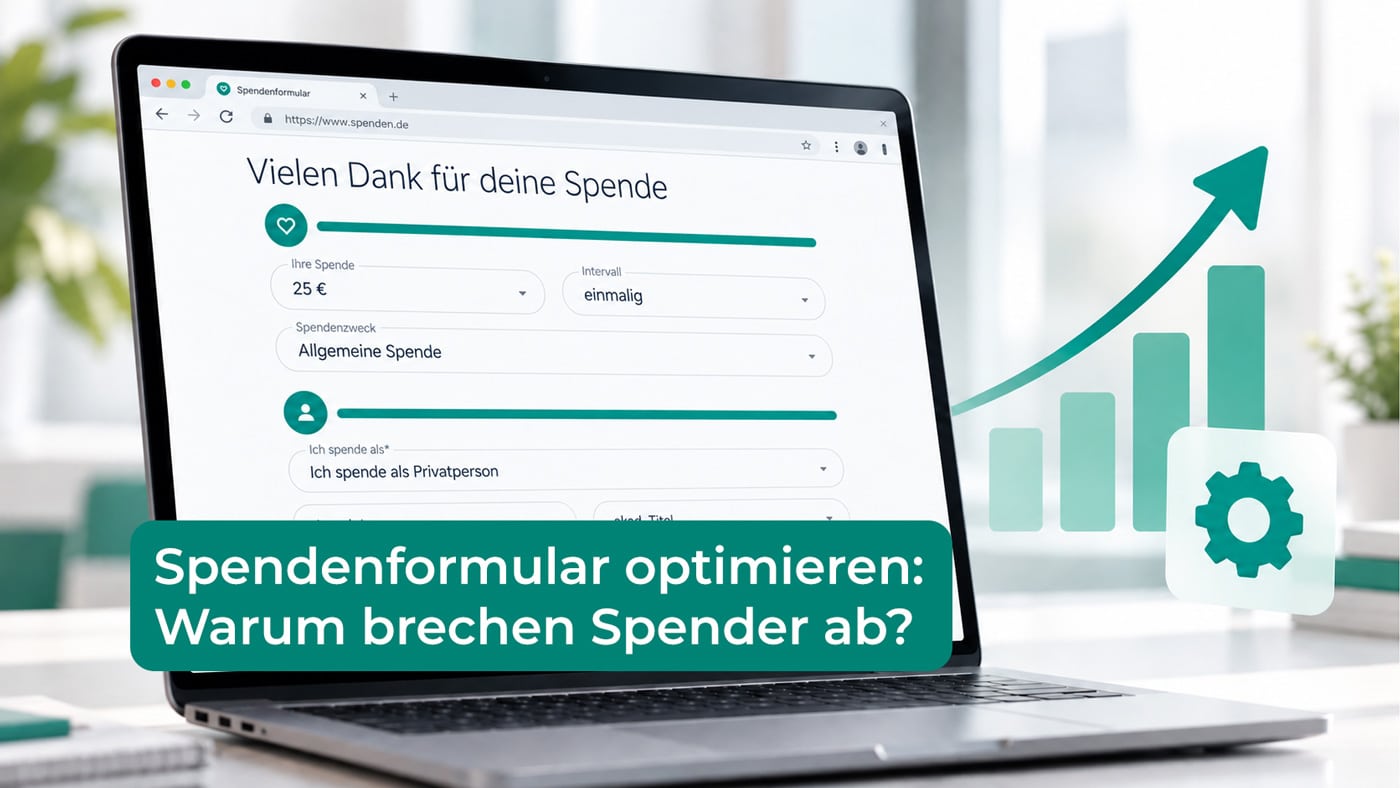
Why do people abandon online donations? Sometimes it's the little things that prevent potential donors from completing an online donation. Too many required fields, unnecessary clicks, or a complicated payment process can quickly become obstacles. That's why it's so important to make the path from deciding to donate to completing the donation as simple, clear, and technically reliable as possible.
In this article, we show which hurdles you should check in the donation process and how you can specifically optimize your donation form.
Page content:
- What is considered a cancellation in the donation form?
- The path to the donation form
- Request only necessary data
- Amount, donation frequency and purpose
- Check the mobile operation
- Payment methods and payment channels
- Information on organization and data processing
- Error messages and return pages
- Checklist for the practical test
- Check the effect of the optimization
- Support from GRÜN spendino
- Conclusion
- Frequently Asked Questions
What exactly constitutes a cancellation in the donation form?
Submitting a donation form does not constitute a donation. Those who visit a donation page may simply want to gather information first. Similarly, submitting a donation pledge does not guarantee that the money has been received, regardless of the payment method.
When evaluating, distinguish between three situations:
| Situation | What you can deduce from this | What you should check |
|---|---|---|
| The donation page was accessed, but no entry was made. | There is no form process that has been started yet. | Does the page content match the donation appeal? Is the form visible? |
| The transaction or payment was started but not completed. | A cancellation or a technical problem is possible. | Check required fields, error messages, payment processing, and the return page. |
| The donation has been submitted, but the payment processing is still pending. | It may be an ongoing process. | Clarify the status definition, collection procedure and feedback from the payment service provider. |
Especially with self-collected direct debits, the transmission of the data and the actual collection are separated in time. Payment processing with GRÜN spendino, for example, distinguishes between processing via service providers and self-initiated direct debit collection.
Therefore, don't automatically consider all outstanding payments as lost donations. First, clarify what the status indicators in your system mean and when you consider a transaction complete.
1. The path to the donation form is unnecessarily long.
The first hurdle can be before the form: The donation button is hard to find, leads to a general information page, or opens an additional window where the user has to search again for the donation option.
Check the route from the perspective of a visitor who is unfamiliar with your website:
- Does the donation appeal lead directly to the relevant project or form?
- Is the action "Donate now" clearly identifiable?
- Does the visitor have to reread information they've already seen?
- Do the project and organization remain clearly recognizable when switching sides?
Providing helpful information before donating is not an unnecessary obstacle. However, you should avoid steps that neither offer guidance nor are necessary for processing the donation.
Practical example: If a newsletter refers to a specific aid project, the linked page should address that project. A general form with a long list of project options requires the donor to make an additional decision. Every extra, unnecessary click can represent another obstacle on the path to donating. The easier it is for interested parties to access the donation form and complete the process, the lower the risk of them abandoning it along the way. Therefore, unnecessary intermediate steps should be avoided without omitting important information.
2. Optimize the donation form: Only request necessary data.
Every required field needs a justifiable purpose. Telephone number, date of birth, or full address should not be requested simply because the information might be useful later in fundraising.
The W3C's Web Accessibility Initiative also recommends keeping forms short and simple, and only requesting the data necessary for the specific process. Unnecessary or extensive data requests can lead to form abandonment. Further information can be found in the [link to relevant documentation]. W3C recommendations for accessible forms.
Go through each field individually:
- Is this information required for this donation or payment transaction?
- Does it have to be mandatory, or is a voluntary submission sufficient?
- Is it clear why this information is being requested?
- Is it only needed in certain cases?
One concrete approach is to request addresses on a case-by-case basis: If the address is needed for a requested donation receipt, the request can be linked to this requirement. Whether this is sufficient for your form depends on the other requirements of the payment and donation process.
Fewer fields don't mean omitting necessary data. It means justifying each query based on its subject matter and using it only where needed.
3. The amount, donation frequency, and purpose are not clearly defined.
Before finalizing the agreement, it should be clear how much will be donated, whether the donation is a one-off or regular donation, and what purpose it will serve.
Therefore, check:
- Are the suggested amounts and the freely selectable amount presented in a clear and understandable way?
- Is a monthly donation clearly distinguishable from a one-time donation?
- Does the proposed donation purpose fit the campaign page?
- Are changes easily possible before the finalization?
Avoid default settings whose meaning only becomes clear upon closer inspection. A clearly visible summary of the amount, frequency, and project can provide guidance before completion.
For general requirements regarding the selection of a form, you will find further information in the Guide to donation forms for associations.
4. Optimize the donation form: Check mobile usability
A form might look clear and easy to use on a desktop computer but still cause problems on a smartphone. Therefore, simply viewing the page in a smaller browser window is not enough.
Test on an actual mobile device:
- Are texts, selection fields and buttons readable and usable without enlarging the image?
- Does the on-screen keyboard obscure important information or the next step?
- Do dropdown menus and amount selection work reliably?
- Are error messages displayed directly next to the relevant field?
- Are any displayed banners or other website elements obstructing the view?
- Is the display correct on different mobile devices?
Good usability also includes clear field labels, understandable instructions and a usable keyboard control.
Check the entire donation page. An adaptable form alone won't solve problems caused by the surrounding website.
5. The desired payment method is missing or not working.
Some donors want to enter their bank details, others prefer PayPal or a credit card. If a suitable option is not available, this can be a reason for them not to continue the process.
The right choice depends on your target audience and your organizational capabilities. An additional payment method is of little use if it is not fully set up or if the transition to the service provider fails.
Check for each payment method offered:
- Are the setup and forwarding working?
- Is switching to a payment service provider understandable?
- Is the donor then redirected to a suitable page?
- What happens in the event of a rejection or cancellation?
- Is there a clear indication if a payment has not yet been completed?
GRÜN spendino supports various payment methods, including SEPA direct debit, PayPal, credit card, Google Pay, Apple Pay, and online bank transfer. The specific methods you can use depend on your setup and the required accounts or provider connections. You can find more information on the page about... Payment methods for online donations.
6. Information on organization and data processing is missing.
A donor should be able to see who will receive the donation and what it will be used for. This information should not be lost when transitioning from the project appeal to the application form.
Pay attention to:
- a clearly recognizable organizational name;
- a suitable project reference;
- Accessible contact information;
- understandable information on data processing;
- a design that matches the organization's website.
Lengthy texts immediately before the conclusion do not replace a clear explanation. Present the essential information clearly and link to the detailed instructions where appropriate. Have the wording of the privacy policy and any marketing consents professionally reviewed.
7. Error messages do not provide a solution.
"Invalid input" does not help the donor continue the process. A clear message identifies the affected field and explains what needs to be changed. The W3C explicitly recommends providing feedback on errors and suggestions for their correction.
Test not only the error-free process, but also typical error cases: a missing mandatory field, an incomplete email address, or an invalid entry in the payment area.
Check whether previously entered data is retained, insofar as this is technically and security-wise possible. A correction should not unnecessarily lead to a complete restart.
Special case: Return from the payment provider
If someone cancels the transaction with the payment provider and returns to the website, the return page should clearly explain that the payment was not completed. It can offer the option to try again, another available payment method, or contact information. Before attempting to retry, the actual status must be unambiguous to avoid suggesting a double payment. Furthermore, such a return page doesn't reach every person who abandons the transaction: those who close their browser or leave the page before completing the payment process might not see it.
Our preview of GRÜN Spendino allows you to design and customize individual thank-you pages, error pages, and cancellation pages to suit your specific needs. This enables organizations to inform donors effectively after each transaction and offer appropriate next steps.
Optimize donation form: Checklist for practical testing
Don't just check that the process runs smoothly. Also test missing entries, switching to the payment provider, and returning after an aborted payment transaction.
| test area | Specific test |
|---|---|
| Entry | Open the donation page using the link from your campaign. Does the content match the appeal? |
| Data fields | For each mandatory field, check its purpose and necessity. |
| Amount and rhythm | Check that one-off and regular donations are clearly distinguishable. |
| mobile device | Complete the form on your smartphone, including keyboard and error messages. |
| Accessibility | Check labels, focus order, and operation without a mouse. |
| Payment methods | Test each offered payment method in a suitable test environment. |
| Errors and returns | Check for incorrect entries and returns after a payment cancellation. |
| Confirmation | Check that the page and email clearly reflect the actual processing status. |
| Evaluation | Separate form requests, started processes, submitted commitments, and completed payments. |
Use the approved testing procedures provided by your vendor. If live testing is required, coordinate the process and documentation beforehand.
Organizations with regular donations especially benefit from this time saving. Instead of spending many hours on administrative tasks, teams can focus more on campaigns, communication, and donor retention.
How do you know if the optimization is working?
If you want to optimize a donation form, you should first fix any reproducible technical errors. For further improvements, note the initial state, change only one factor if possible, and then compare suitable time periods or parallel tested versions.
A form completion rate, for example, describes what proportion of measured form starts lead to a defined completion. It is crucial that start and completion are recorded identically in both comparison groups. A form request, a donation pledge, and a successful payment are distinct measurement points.
Also, pay attention to changes in campaigns, visitor sources, and payment methods. A higher conversion rate after a change doesn't automatically prove that the change was the cause. With few transactions, individual donations are particularly meaningless.
Only collect the information you need for analysis and ensure compliance with data protection regulations. Personal form data should not be included in general web analytics tools without prior review.
Who GRÜN spendino supports the work on the donation process
GRÜN spendino offers online fundraising tools for charitable organizations. donation forms They can be integrated into your own website, customized in terms of design, and used for different projects.
Im Donation cockpit from GRÜN spendino Furthermore, analyses of forms, projects, and payment methods are available. This allows you to review existing donation data and specifically identify areas for further review. However, these analyses do not replace functional testing or clarifying the definitions of the respective status and key performance indicators.
Would you like to see what a donation form from GRÜN spendino is structured? Watch the demo or get in touch with us.
Conclusion: First understand the obstacle, then improve the form
If you want to optimize your donation form, it's worth reviewing the entire process: from the initial appeal and data collection to the payment transaction. A short, clear, and efficient process creates the conditions for a smooth transaction.
Start with clearly identifiable problems, test for errors, and then monitor the development of your data. This way, a suspicion becomes a concrete improvement process.
Frequently asked questions about cancellations in the online donation form
The form completion rate considers the path from the defined form start to the completion of the input. The payment success rate considers the successful processing of the payment. Both values can differ, for example, if a direct debit is processed later. Define the measurement points before comparing them.
A universally applicable target rate cannot be meaningfully defined without standardized measurement and comparable conditions. Visitor sources, campaigns, devices, and payment methods can vary. Start by developing your own strategy and clearly defined processes.
Not necessarily. A multi-step form can clearly break down extensive input; a one-page form can directly illustrate the overall effort required. The crucial factors are clarity, the necessary fields, and actual usability. Test the variant under your specific use case.
Not automatically. Simply entering an email address does not constitute blanket permission to receive reminder or promotional emails. Before proceeding in this way, the legal basis, purpose, and specific implementation must be reviewed. Do not use abandoned processes as a contact list without first verifying them.

Sarah Berg
Fundraising expert at GRÜN spendino
Sarah is a fundraising expert and partner manager at GRÜN spendino and has been supporting nonprofit organizations in digitizing their fundraising processes for many years. In her role, she is not only a contact for clients but also a regular speaker in online seminars. With her practical knowledge and sensitivity to the needs of fundraising organizations, she brings complex topics to the forefront in an understandable way.





Contact inquiry
Send us a message to find out more about how our solutions can benefit you. We are looking forward to hearing from you.